



Why Llama 3.3 70B Instruct pressures system RAM
Llama 3.3 70B Instruct is a dense 70B network — every weight participates each token, so quantization choice dominates. Q4_K_M lands near ~39.4GB weights, plus ~0.17GB KV at 8K and ~6GB overhead (~45.6GB → 64GB kit). The 131K-token context ceiling is the sleeper cost: long-doc or agent traces inflate KV while the 70B slab stays fixed. Prefer dual-channel DDR5 bandwidth when CPU offload or mmap is involved.
What RAM kit to buy
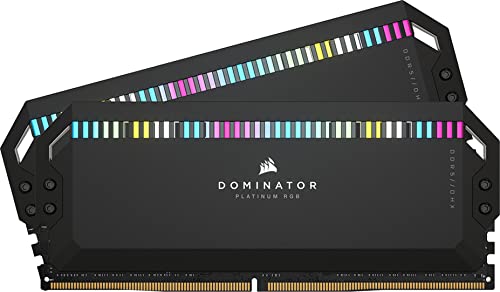
Buy a matched dual-channel DDR5 kit at 64GB for Llama 3.3 70B Instruct (EXPO/XMP only if stable). Avoid single-stick installs — local inference is bandwidth-sensitive when layers spill to host memory. Pair with 2x RTX 3090 (48GB combined VRAM) or Mac Studio 64GB when staying in the Dual GPU Setup (48GB VRAM) tier, and keep 20–30% RAM free for the OS + browser.
Workload notes
Meta Llama-family models like Llama 3.3 70B Instruct have broad llama.cpp/Ollama support — prioritize stable JEDEC/EXPO kits over unproven XMP outliers for multi-hour serves. At 70B, Llama 3.3 70B Instruct sits in the large local-LLM band: Q4 on a strong GPU is realistic, FP16 usually is not on consumer cards. Release window noted as 2025/2026; always re-check the model card before buying hardware for a specific checkpoint.