Mistral AIMoE

Mixtral 8x22B Instruct RAM Calculator

For Mixtral 8x22B Instruct, plan about 128GB system RAM at Q4_K_M / 8K context — MoE still loads ~176B total weights even though only 44B active/token run per token. Mixtral 8x22B Instruct weights are available for local runtimes (llama.cpp / Ollama / vLLM class stacks) — buy kits you can fill with dual-channel DDR5 (or ECC RDIMM on true workstations).

Mistral's official instruct fine-tuned version of [Mixtral 8x22B](/models/mistralai/mixtral-8x22b). It uses 39B active parameters out of 141B, offering unparalleled cost efficiency for its size. Its strengths include: - strong math, coding,...

Standard Recommendation

128GB RAM

Calculated for 4-bit (Q4_K_M) @ 8K Context

1. Workload

Inference sizes run-time memory. Training adds optimizer/activation headroom and steers toward ECC.

2. Hardware path

CPU + RAM offload path: full model weights reside in system RAM (llama.cpp / similar). Dual-channel DDR5 bandwidth is the speed bottleneck.

3. Quantization

GGUF-style bit widths for planning. Native FP4/FP8 trainer footprints can differ.

4. Context length

Grows KV cache (inference) or activation scratch (training ballpark).

8,192 tokens
VRAM Hardware Sizing · Enterprise GPU Node / Mac Studio 192GB

Recommended GPUs for Mixtral 8x22B Instruct

111 GB VRAM Required

Server-scale deployment. Running this model locally requires extreme unified memory Apple systems or professional multi-GPU servers.

Ultimate Single-GPU Flagship$1799.99

ASUS ROG Strix GeForce RTX 4090 24GB GDDR6X Flagship

VRAM: 24GB GDDR6X
Bus Width: 384-bit
Bandwidth: 1008 GB/s
Cores: 16,384 CUDA

Technical Hardware Note: Breaks 1 TB/s memory bandwidth (1,008 GB/s) with 512 Tensor Cores, generating 15-30+ tokens/sec on 70B quantized models.

Check Price & Availability on Amazon →
Undisputed $/VRAM Value King$749.99

GeForce RTX 3090 24GB GDDR6X (High-VRAM Workhorse)

VRAM: 24GB GDDR6X
Bus Width: 384-bit
Bandwidth: 936 GB/s
Cores: 10,496 CUDA

Technical Hardware Note: Features a massive 384-bit bus delivering 936 GB/s memory bandwidth. The undisputed best value per GB of VRAM for running local 32B-70B models.

Check Price & Availability on Amazon →
💡
Technical Hardware Note: Extreme parameter models require clustered multi-GPU nodes or Mac Studio 192GB Unified Memory setups to avoid out-of-memory (OOM) crashes.

Inference bandwidth snapshot

DDR4 ~45 GB/s

0.5 t/s

DDR5 ~96 GB/s

1.0 t/s

Unified ~300 GB/s

3.0 t/s

VRAM ~1008 GB/s

10.2 t/s

Mixtral 8x22B Instruct Quantization Comparison Matrix

Side-by-side RAM, VRAM, and GPU requirements across 4-bit, 8-bit, and 16-bit precision (at 8K context).

QuantizationWeight SizeTarget RAMVRAM ClassRecommended Hardware
4-bit (Medium)Active99 GB128 GB Kit111 GBApple Mac Studio (192GB Unified Memory) or Institutional Node (8x H100 / A100)
8-bit (High)187 GB256 GB Kit199 GBApple Mac Studio (192GB Unified Memory) or Institutional Node (8x H100 / A100)
16-bit (Lossless)352 GB384 GB Kit364 GBApple Mac Studio (192GB Unified Memory) or Institutional Node (8x H100 / A100)
Local AI Deployment Quickstart

Run Mixtral 8x22B Instruct via Terminal (Ollama / vLLM)

🤗 Hugging Face Card →
Ollama CLI (Local Run):
ollama run mixtral-8x22b
vLLM OpenAI Server (GPU Offload):
python3 -m vllm.entrypoints.openai.api_server --model mistralai/mixtral-8x22b-instruct --gpu-memory-utilization 0.95
Host RAM target

128GB

Inference · CPU offload · Q4 K_M

Model weights:99 GB
KV cache:0.11 GB
OS / runtime:8 GB
Host total:107.1 GB

Kit picks (128GB)

Disclosure: As an Amazon Associate I earn from qualifying purchases. Rankings use price and spec data only — not paid placement. How we rank products

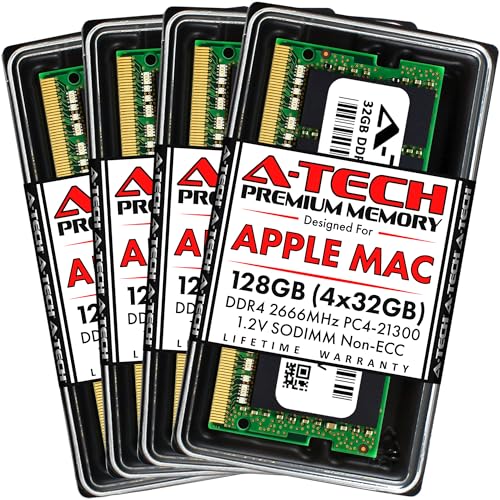
A-Tech 128GB Kit (4x32GB) RAM for Apple iMac 2019 & 2020 27 inch Retina 5K | DDR4 2666 MHz SODIMM PC4-21300 / PC4-21333 260-Pin SO-DIMM Max Memory Upgrade

SO-DIMM4-stick kit
$825.02$6.45/GBIn stock

Four sticks can stress the memory controller and lower stable XMP speeds on many consumer boards.

Laptop / mini-PC form factor — will not fit desktop DIMM slots.

A-Tech 128GB Kit (4x32GB) DDR5 4800MHz PC5-38400 CL40 SODIMM 2Rx8 Dual Rank 1.1V Non-ECC Unbuffered SO-DIMM 262-Pin Laptop Computer RAM Memory Upgrade Modules

SO-DIMMECC4-stick kit
$1584.44$12.38/GBIn stock

Four sticks can stress the memory controller and lower stable XMP speeds on many consumer boards.

Laptop / mini-PC form factor — will not fit desktop DIMM slots.

Corsair Vengeance LPX 128GB (4x32GB) DDR4 3600 (PC4-28800) C18 1.35V Desktop Memory - Black

UDIMM4-stick kit
$194.99$1.52/GBIn stock

Four sticks can stress the memory controller and lower stable XMP speeds on many consumer boards.

Confirm motherboard QVL / max capacity per slot before buying.

NVTEK 128GB (4X32GB) DDR4 2666MHz PC4-21300 UDIMM 2Rx8 1.2V CL19 288-PIN Non-ECC Unbuffered Desktop PC Computer Memory KIT

UDIMMECC4-stick kit
$794.49$6.21/GBIn stock

Four sticks can stress the memory controller and lower stable XMP speeds on many consumer boards.

Confirm motherboard QVL / max capacity per slot before buying.

A-Tech 128GB Kit (4x32GB) DDR5 4800MHz PC5-38400 CL40 UDIMM 2Rx8 Dual Rank 1.1V Non-ECC Unbuffered DIMM 288-Pin Desktop PC/Computer RAM Memory Upgrade Modules

UDIMMECC4-stick kit
$2087.38$16.31/GBIn stock

Four sticks can stress the memory controller and lower stable XMP speeds on many consumer boards.

Confirm motherboard QVL / max capacity per slot before buying.

NEMIX RAM 128GB (4X32GB) DDR4 3200MHz PC4-25600 2Rx8 1.2V CL22 288-PIN ECC Unbuffered UDIMM KIT

UDIMMECC4-stick kit
$1193.49$9.32/GBIn stock

Four sticks can stress the memory controller and lower stable XMP speeds on many consumer boards.

Confirm motherboard QVL / max capacity per slot before buying.

Why Mixtral 8x22B Instruct pressures system RAM

Mixtral 8x22B Instruct is Mixture-of-Experts: inference activates 44B active/token, but VRAM/RAM must usually hold the full ~176B expert set for fast routing. At Q4 the weight slab is ~99GB before KV (~0.11GB at 8K) and ~8GB OS/runtime overhead — totaling ~107.1GB raw, rounded to a 128GB kit. Stretching toward the full 66K-token window multiplies KV far faster than weights; that is the usual “I bought enough RAM for the model but still OOM” failure on Mistral AI MoE pages.

What RAM kit to buy

Buy a matched dual-channel DDR5 kit at 128GB for Mixtral 8x22B Instruct (EXPO/XMP only if stable). Avoid single-stick installs — local inference is bandwidth-sensitive when layers spill to host memory. Pair with Apple Mac Studio (192GB Unified Memory) or Institutional Node (8x H100 / A100) when staying in the Enterprise GPU Node / Mac Studio 192GB tier, and keep 20–30% RAM free for the OS + browser.

Workload notes

Mistral releases like Mixtral 8x22B Instruct are common in production vLLM; dual-channel bandwidth helps prompt throughput when CPU offload is in play. At 176B, Mixtral 8x22B Instruct sits in the large local-LLM band: Q4 on a strong GPU is realistic, FP16 usually is not on consumer cards. Release window noted as 2025/2026; always re-check the model card before buying hardware for a specific checkpoint.

Technical Specifications

Total Parameter Count176 Billion
Active Parameters Per Token44 Billion
Maximum Context Window66K tokens
Primary Framework SupportOllama, llama.cpp, ExLlamaV2, vLLM

GPU & VRAM Sizing Profile

Enterprise GPU Node / Mac Studio 192GB
Est. VRAM Required111 GB VRAM
Target GPU HardwareApple Mac Studio (192GB Unified Memory) or Institutional Node (8x H100 / A100)

Hardware Profile: Server-scale deployment. Running this model locally requires extreme unified memory Apple systems or professional multi-GPU servers.

Mixtral 8x22B Instruct Memory FAQs

How much RAM for Mixtral 8x22B Instruct at Q4 vs FP16?

At Q4_K_M with an 8K context we estimate ~128GB system kits for Mixtral 8x22B Instruct (weights ~99GB). FP16 jumps to roughly a 384GB kit class and often wants 111GB-class VRAM instead of host RAM alone — use the on-page calculator to retarget context and quant.

Does MoE mean I only need RAM for 44B active params on Mixtral 8x22B Instruct?

No. Mixtral 8x22B Instruct still stages ~176B total expert weights for fast routing even though only 44B active/token compute each token. Size RAM/VRAM from total parameters (and KV), not active-only marketing figures.

What GPU tier fits Mixtral 8x22B Instruct?

Enterprise GPU Node / Mac Studio 192GB: target about 111GB VRAM (Apple Mac Studio (192GB Unified Memory) or Institutional Node (8x H100 / A100)). Server-scale deployment. Running this model locally requires extreme unified memory Apple systems or professional multi-GPU servers.

Can I run Mixtral 8x22B Instruct with less than 128GB if I lower context?

Yes — shorter context shrinks KV (~0.11GB at 8K). Dropping to 2K–4K context can fit smaller kits, but keep OS headroom; paging kills tokens/s more than a slightly larger kit costs.

Same VRAM tier

Models that land in the same hardware profile (Enterprise GPU Node / Mac Studio 192GB) at Q4 / 8K context.